SQLite Viewer Online
Open a SQLite database in your browser and start reading it in seconds. No install, no account, and the file never leaves your computer: the SQLite engine itself runs inside the page.
What you can do with it
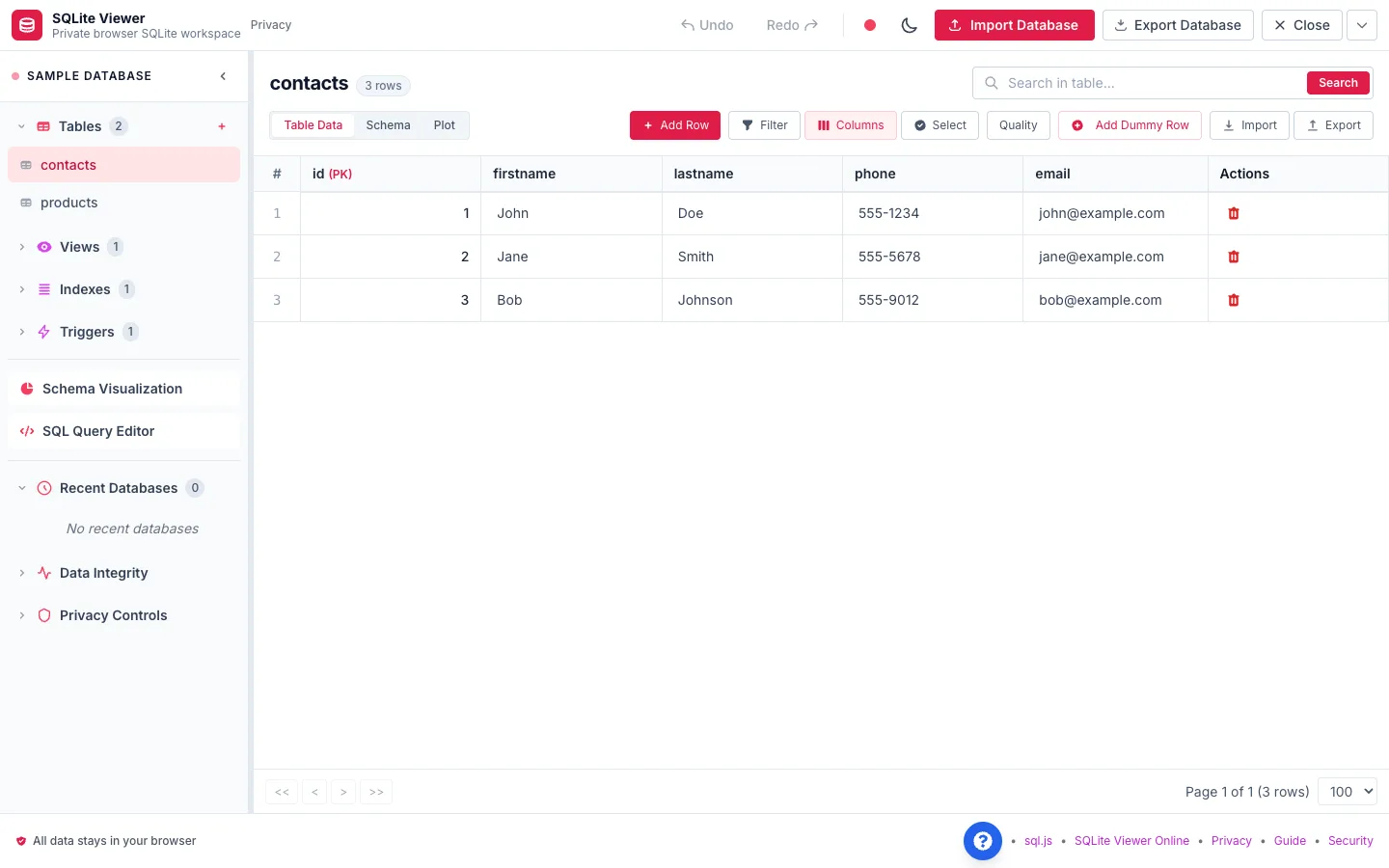
SQLite Viewer is a full workspace, not just a table dump. Once a file is open you can:
- Browse every table, view, index and trigger from the sidebar.
- Search a table, filter by column, and page through large tables without rendering every row at once.
- Edit cells, add or delete rows, and undo mistakes before you export.
- Write SQL in a full editor with syntax highlighting, tabs, saved queries and history. Run with Ctrl/⌘ + Enter.
- See the schema as a diagram of tables and foreign keys.
- Export a table or a query result to CSV, JSON, Excel or SQL, or download the whole database file.
How "no upload" actually works
The viewer uses sql.js, the official SQLite C library compiled to WebAssembly. When you pick a file, your browser reads it into memory and the SQLite engine inside the page opens it. Queries run on your machine, so they are fast and your data is never sent to a server.
Databases you open can be kept in your browser storage (IndexedDB) so they are still there when you come back. You can clear them at any time from the app.
When to use an online viewer and when to use a desktop tool
Use SQLite Viewer when you need to look inside a file quickly: checking an app database, reviewing a backup, answering a question with one query, or pulling a table into a spreadsheet. It also works on machines where you cannot install software.
Reach for the sqlite3 command line or DB Browser for SQLite when the file is several hundred megabytes, when you need encrypted (SQLCipher) databases, or when you are running long migrations. The browser holds the whole file in memory, so the viewer accepts files up to 250 MB.
Frequently asked questions
Is SQLite Viewer free?
Yes. There is no account, no trial and no row limit.
Is my database uploaded anywhere?
No. The file is read by your browser and opened by a SQLite engine running inside the page. We use privacy-friendly analytics to count visits and clicks, and database contents are masked from them.
Which file types can I open?
Any SQLite 3 database, usually named .db, .sqlite or .sqlite3. If your file has another extension (for example .db3 or none at all), rename a copy to end in .sqlite and open that.
How big a file can it handle?
Up to 250 MB. Larger files in that range work but can be slow, because the whole database lives in browser memory.
Can I edit the database and save it?
Yes. Edit rows or run INSERT, UPDATE and DELETE statements, then use Export Database to download the updated file. The original file on your disk is not changed until you replace it with the export.
Does it work on a phone?
It runs in modern mobile browsers, but the table grid and SQL editor are built for a keyboard and a wide screen, so a laptop or desktop is more comfortable.
Related guides
- Open a SQLite File Online – Open a SQLite file online without installing anything. Step by step: get the .db file out of an Android app, iOS app, Chrome or Firefox, then view it in your browser.
- SQLite File Viewer – View SQLite files in your browser: check whether a .db file is really SQLite, read its tables, schema, indexes and triggers, and export data to CSV or Excel. Free and private.
- SQLite Viewer user guide – every feature, step by step.