SQLite File Viewer
Got a .sqlite, .sqlite3 or .db file and want to know what is inside? Open it here to see its tables, columns and data, the SQL that created them, and how the tables relate, without installing a database tool.
Is it really a SQLite file?
Every SQLite 3 database starts with the same 16 bytes: the text "SQLite format 3" followed by a zero byte. You can check a file without opening it:
head -c 15 mystery.db # macOS / Linux: prints "SQLite format 3"On Windows PowerShell: Get-Content mystery.db -TotalCount 1. If you do not see "SQLite format 3", the file is encrypted or is a different format, and no SQLite viewer will open it.
What the viewer shows you
- Each table with its row count, column names, types and primary keys, with NULLs clearly marked.
- The original CREATE statements for every table, view, index and trigger.
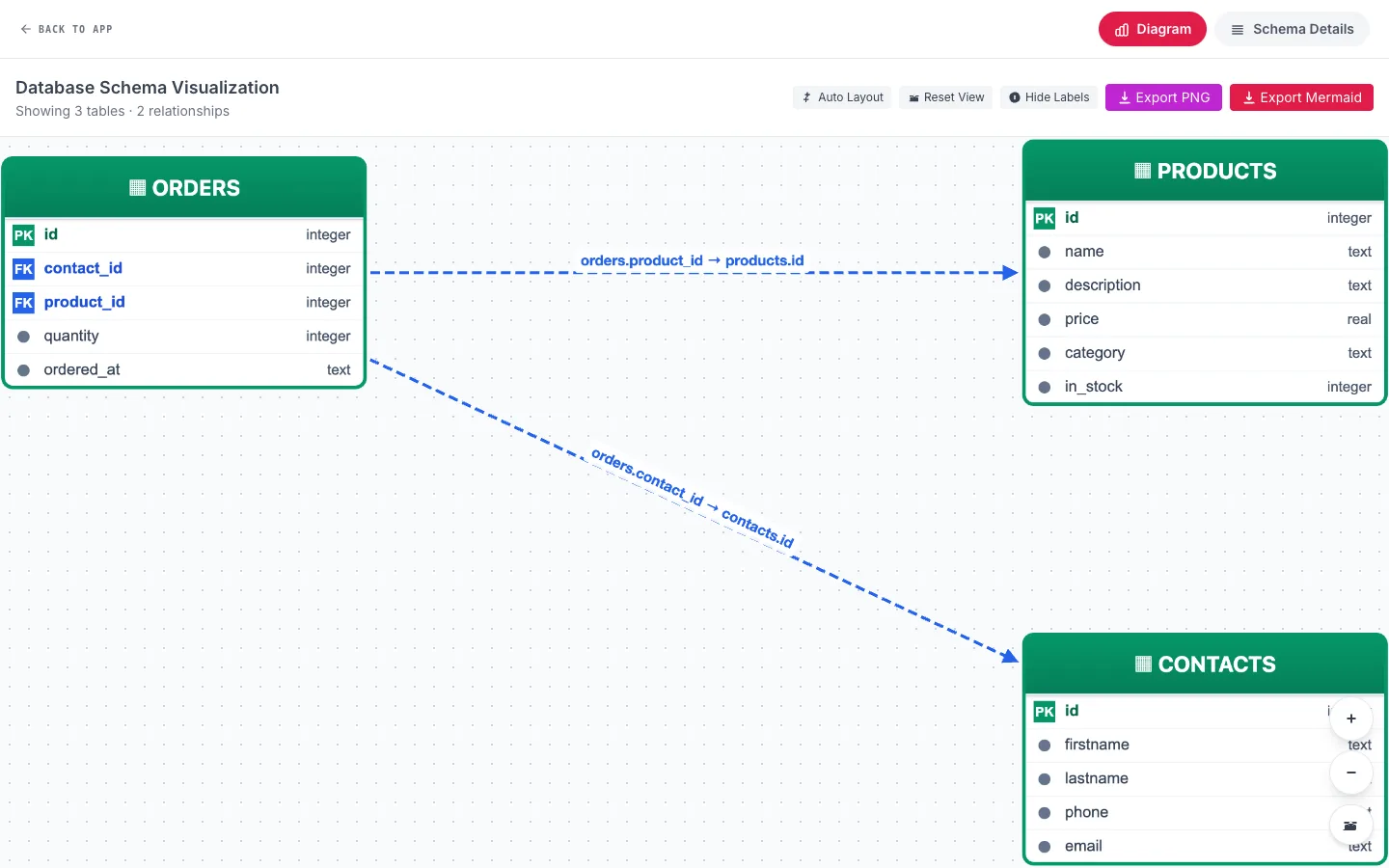
- A diagram of tables and their foreign keys, which you can export as a PNG.
- A data quality panel that flags NULL and duplicate values per column.
- Quick charts of any column or query result.
Getting data out
Once you find what you need, export a single table or a query result to CSV (for spreadsheets), Excel, JSON (for code) or SQL INSERT statements. Export Database downloads the whole file, including any edits you made.
File extensions
SQLite does not care about the extension. .sqlite and .sqlite3 are the clearest names, .db is the most common, and you will also see .db3, .s3db and files with no extension at all. The viewer accepts .db, .sqlite and .sqlite3; for anything else, rename a copy of the file.
Frequently asked questions
What does "SQLite format 3" mean?
It is the header at the start of every SQLite 3 database file. If a file starts with it, the file is a SQLite database and this viewer can open it.
Can I view a SQLite file without installing anything?
Yes. SQLite Viewer runs entirely in your browser, so there is nothing to install, and the file is not uploaded.
How do I convert a SQLite table to Excel or CSV?
Open the file, select the table, and use Export in the table toolbar to download CSV or Excel. For a filtered or joined result, run a query in the SQL editor and export the result instead.
Can I see indexes and triggers?
Yes. The sidebar lists views, indexes and triggers alongside tables, and shows the SQL that created each one.
Related guides
- Open a SQLite File Online – Open a SQLite file online without installing anything. Step by step: get the .db file out of an Android app, iOS app, Chrome or Firefox, then view it in your browser.
- SQLite Viewer Online – Free online SQLite viewer that runs in your browser. Open .db, .sqlite and .sqlite3 files, browse tables, run SQL and export to CSV or Excel. Nothing is uploaded.
- SQLite Viewer user guide – every feature, step by step.